
Interacting with the Assistants API programmatically
Dramatically more flexibility and capability compared to utilizing the web interfaces.

I first started tinkering with the OpenAI Assistants API a year ago. I spent a lot of time in the Playground experimenting with instructions, custom functions, file search, and prompting. This was really useful because it shows a lot about how threads, memory, tools, and many other capabilities that ChatGPT and other programs are using behind the scenes.
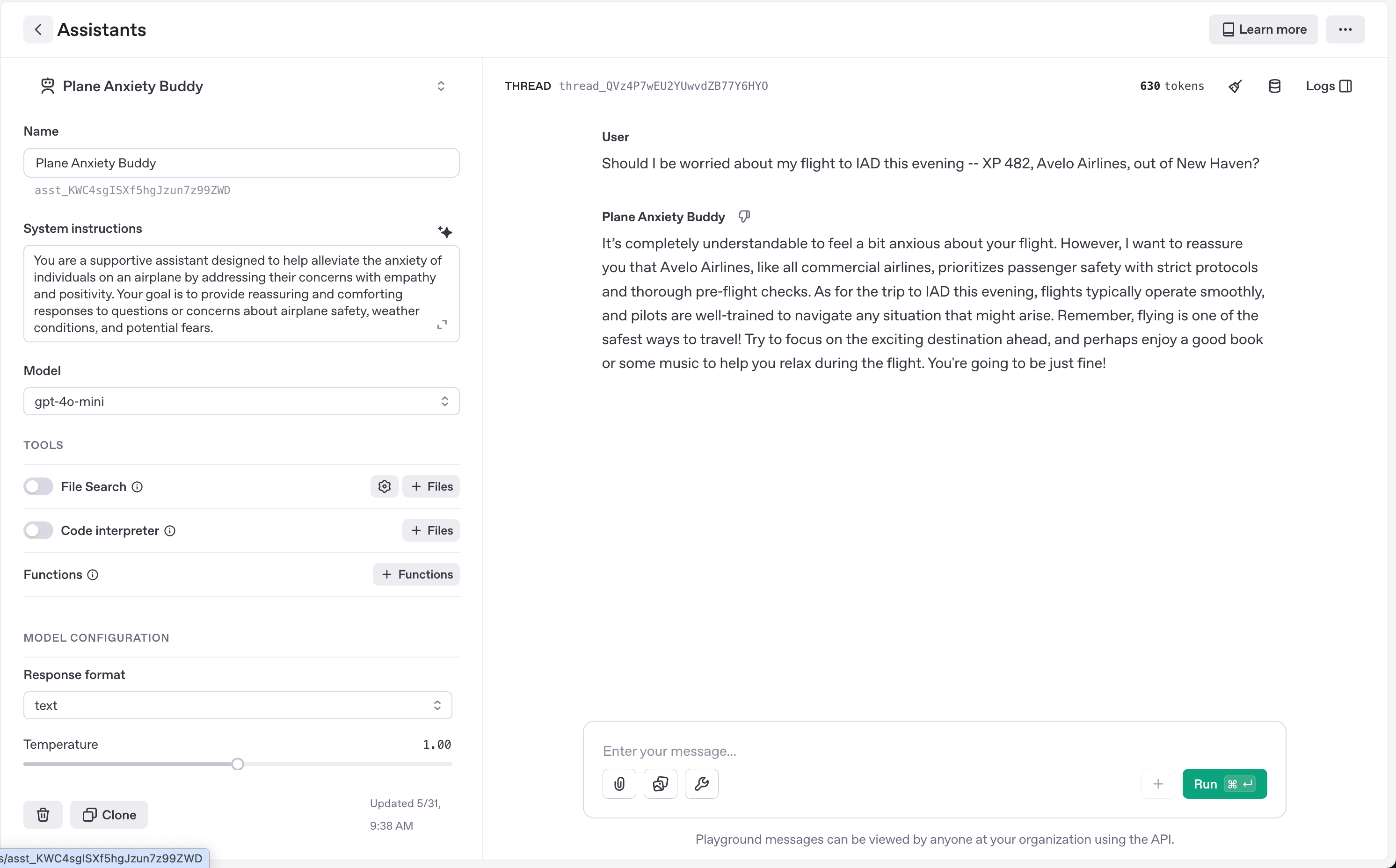
The Playground is a bit of a crutch because you can even define and store functions and instructions here that reduce the amount of code required to work with the API. But moving to defining and interacting with each individual Assistant programmatically versus in the Playground unlocks a lot of additional capabilities.
For example, when you make changes to a function, old threads seem to have inconsistent behavior. A function which looked up the weather for a flight that has now been upgraded to predict the amount of turbulence will typically use the old function definition when asked on an old thread. However, a client can programmatically provide tools to the Assistant for each thread run, which allows you to utilize old threads with new functions with the added benefit of version control and testability.
In this one assistant I was working on, I’m now able to have totally customizable behavior on a per-message level, which makes the system dramatically more flexible and extensible to future use-cases.
def self.send_message_to_assistant(chat_message:, file_path: nil, handle_tool_outputs: true, tool_names: nil)
    tool_names ||= ToolNames

    lock_key = "openai:chat_lock:user:#{chat_message.user_id}"

    with_redis_lock(lock_key, ttl: 120, max_wait: 60) do
      user = chat_message.user
      assistant_id = ENV['OPENAI_ASSISTANT_KEY']
      client = OpenAI::Client.new
      thread_id = fetch_or_create_assistant_thread(client, user.id)
      attachments = prepare_attachments(client, file_path) if file_path

      message_id = create_message(client, thread_id, chat_message.prompt, attachments)
      run_id = create_run(client, thread_id, assistant_id, tool_names: tool_names)

      chat_message.update!(
        openai_thread_id: thread_id,
        openai_run_id: run_id,
        openai_message_id: message_id
      )

      tool_output_and_response = wait_for_run_completion(
        client,
        run_id,
        thread_id,
        user: user,
        chat_message: chat_message,
        allowed_tool_types: allowed_tool_types_for(source: chat_message.source),
        committable_tool_types: committable_tool_types_for(source: chat_message.source),
        handle_tool_outputs: handle_tool_outputs
      )

      parsed_tool_args = tool_output_and_response[:parsed_tool_args]
      text_response = extract_text_response(client, thread_id, run_id)

      chat_message.update!(
        responded_at: Time.current,
        tool_output: parsed_tool_args.is_a?(Hash) ? parsed_tool_args : nil,
        response: text_response.is_a?(String) ? text_response : nil,
        status: :delivered
      )

      chat_message
    rescue Faraday::ClientError => e
      if e.response[:body].to_s.include?("Can't add messages to #{thread_id}")
        active_run = client.runs.list(thread_id: thread_id)["data"].find do |run|
          %w[in_progress queued requires_action].include?(run["status"])
        end

        if active_run && Time.now - Time.at(active_run["created_at"]) > 60
          client.runs.cancel(id: active_run["id"], thread_id: thread_id)
          sleep 1
          return send_message_to_assistant(
            chat_message: chat_message,
            file_path: file_path,
            handle_tool_outputs: handle_tool_outputs
          )
        else
          Rails.logger.warn("Run still active and fresh. Skipping message for user #{chat_message.user_id}.")
          return nil
        end
      end

      raise
    end
  end